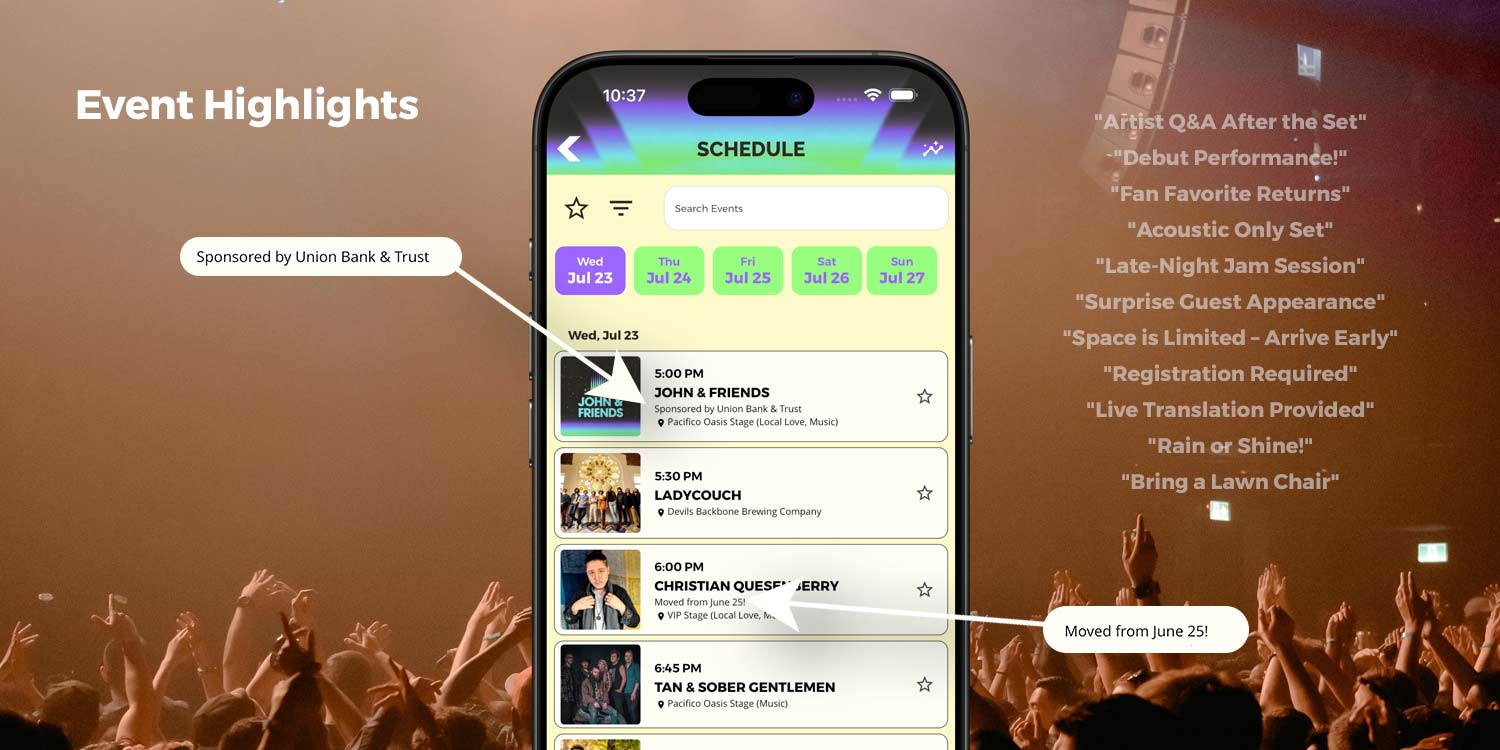
Make your event schedule more helpful and user-friendly with two powerful new tools: Day Highlights and Event Highlights. These features let you add short, eye-catching notes directly within your schedule to call out key details — without cluttering titles or descriptions. Whether it’s a special theme day or a specific event update, your audience will see what matters, exactly where it matters.
Available in all Gold+ apps submitted after July 10, 2025.
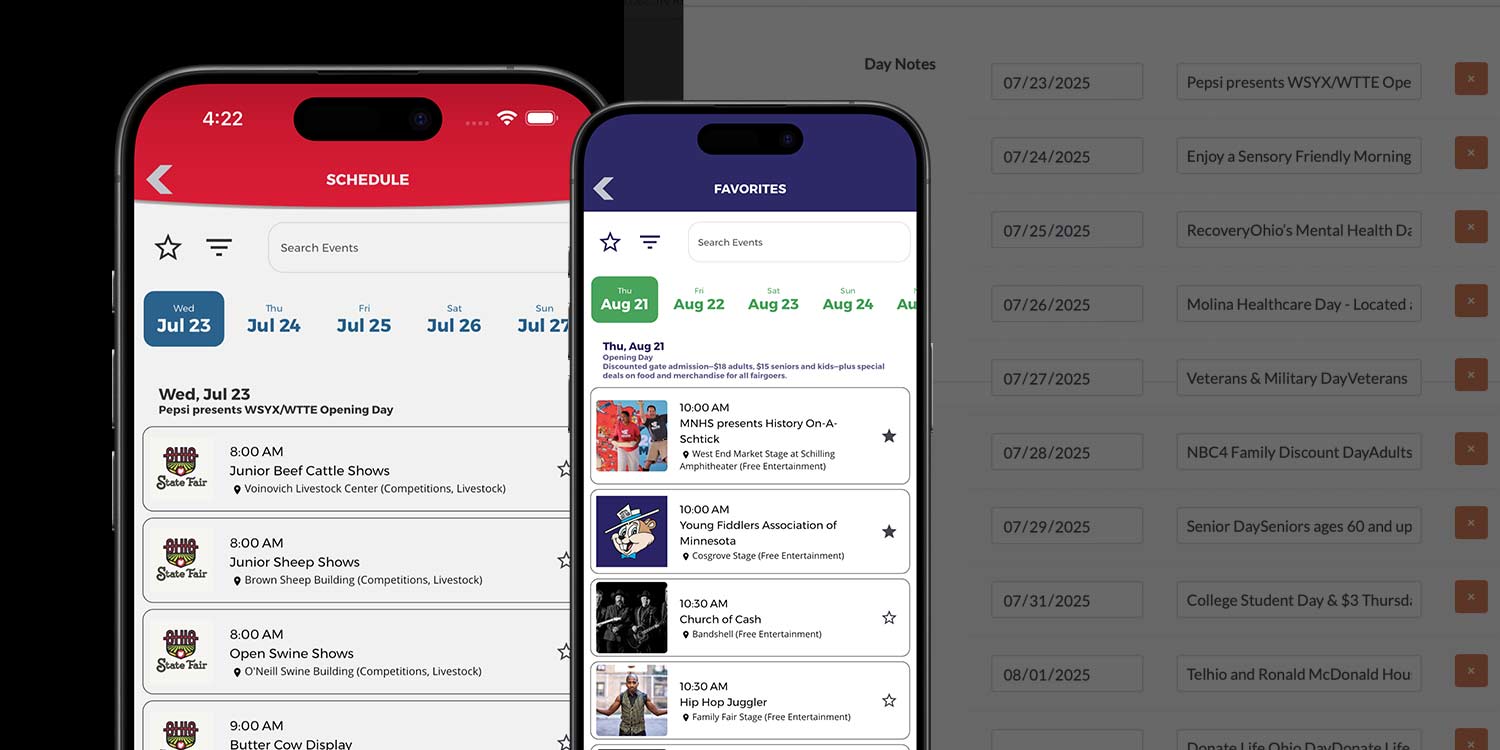
Day Highlights
What it is:
A short, customizable message that displays below each date header on the traditional schedule view.
Use it to:
- Promote theme days like Kids Day, Senior Day, or Free Entry Friday
- Share broad schedule updates such as Gates open at noon or No events after 5 PM
- Add general messages that apply to all events on a particular day
Where it shows up:
Just below the date on the traditional schedule. Not tied to any specific event.
How to add it:
Go to the Events section in the Admin, click into a date, and add your Day Highlight message in the new field.
Event Highlights
What it is:
A custom note you can attach to any individual event in your schedule.
Use it to:
- Share key logistics: Doors open at 6 PM, VIP Entry starts at 4:30 PM
- Flag limited opportunities: First 50 guests get a shirt!
- Offer accessibility or location notes: Wheelchair seating available, Use East Entrance
Where it shows up:
Directly below the event time and title in the list view, and also on the full Event Detail screen.
How to add it:
Edit any individual event in the Admin and add your message in the Event Highlight field.
Why Use Highlights?
- Cleaner Titles: No need to cram details into the event name
- More Clarity: Guests can quickly spot important info without tapping through
- Flexible Updates: You can add, edit, or remove highlights anytime
Let us know if you'd like help getting started or examples from other events. Highlights are a simple way to make your schedule more helpful, more readable, and more engaging — right out of the box.