Collect applications
Give vendors, performers and exhibitors a clear place to apply and share the information your team needs.
Grandstand Connect
Collect applications and listing information from vendors, performers and exhibitors. Review submissions and approve updates through Grandstand Admin.
Invited to an event? Join or sign in
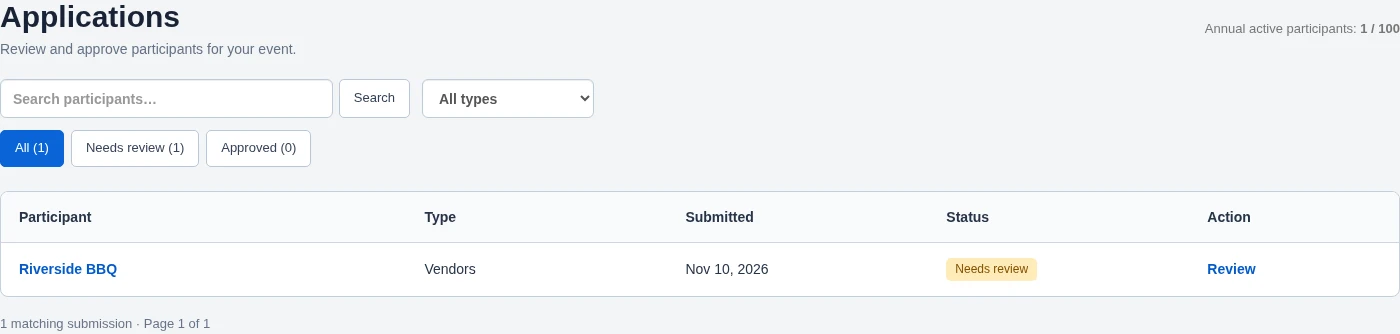
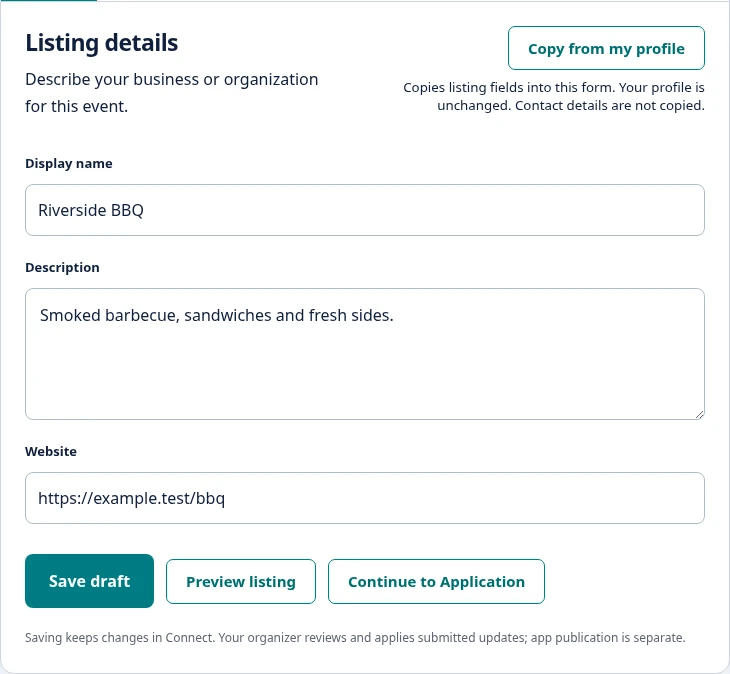
Demonstration data. Select a screenshot to enlarge.
Give vendors, performers and exhibitors a clear place to apply and share the information your team needs.
Review participant information, provide feedback and track application status through Grandstand Admin.
Let participants submit changes to descriptions, menus, photos and other supported listing details for your approval.
One connected workflow
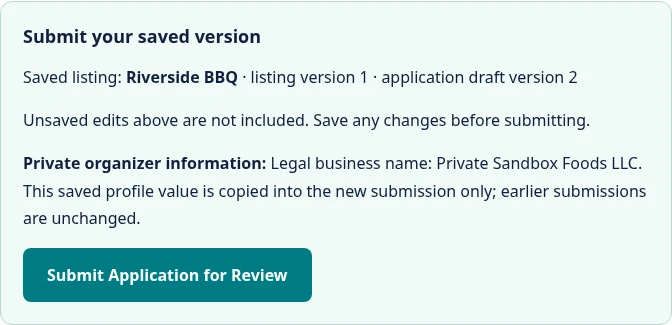
Participants complete their applications and provide listing information through Connect.
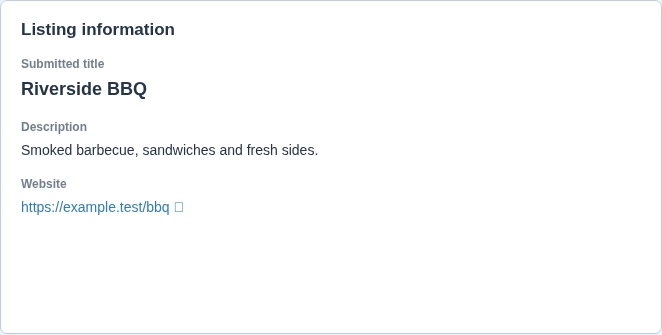
Organizers review applications and, separately, approve submitted listing changes through Grandstand Admin.

Approved information feeds connected listings in your Grandstand app and supported website widgets through the applicable publishing workflow.
Spend less time entering the same information in multiple places.
Application acceptance does not publish a listing. After approving listing changes, your team applies them to connected listings and publishes through Grandstand Admin. Connections depend on your setup.
Booth tools & maps
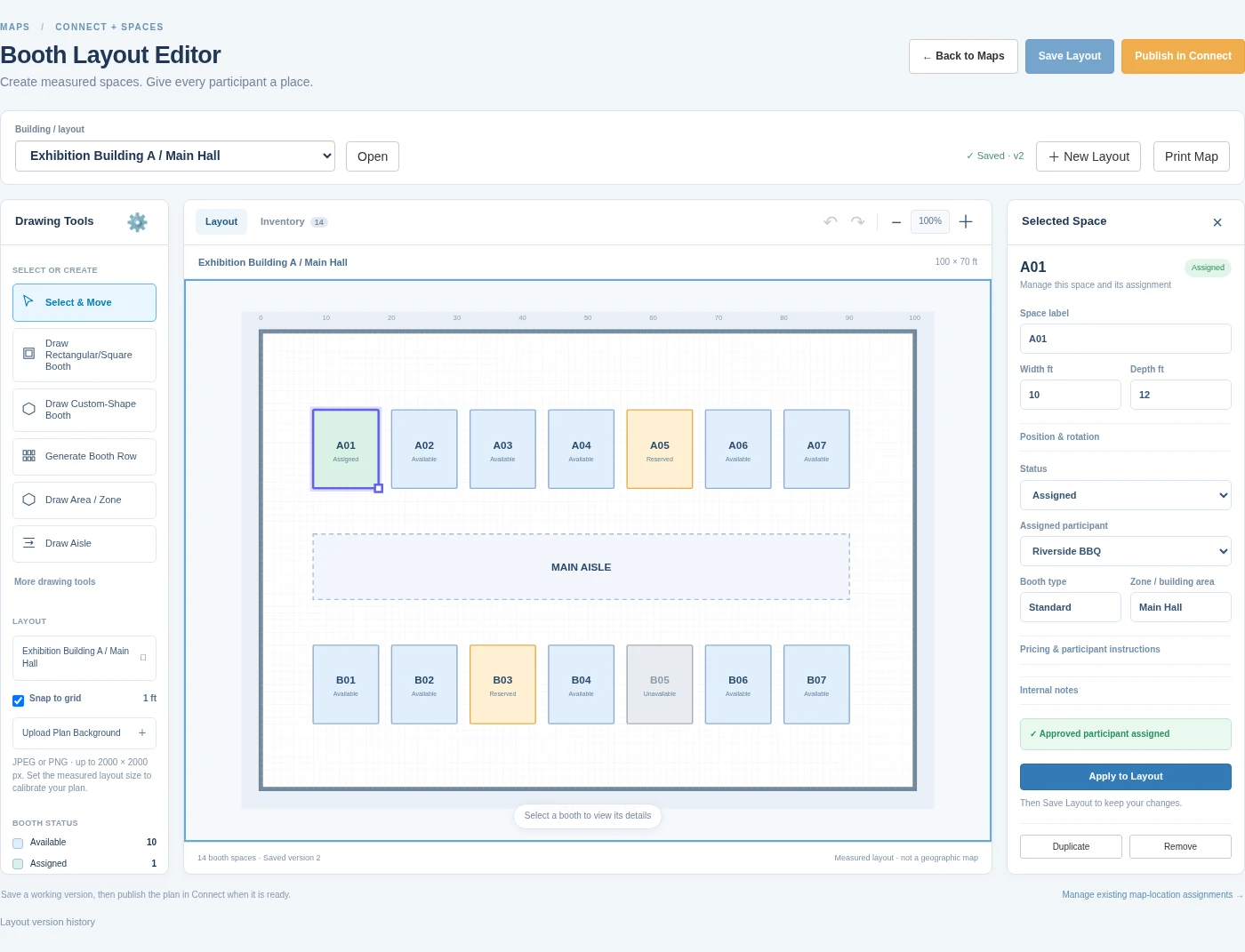
Bring vendor information and booth assignments together. With Grandstand’s booth tools, your team can build a measured layout and connect approved participants to their assigned spaces in Connect. Existing map-location tools connect supported vendor listings to geographic locations in the event app.
Spaces requires an eligible plan or separate enablement for your event. Measured booth layouts publish in Connect; they do not currently publish as indoor plans in native apps or website widgets. Ask us which tools fit your setup.
Business details, menus, photos and event participation.
Bios, promotional information and supporting materials through organizer-configured forms.
Applications, listing information and assigned spaces where enabled.
Association or community submissions for organizer review.
Available fields and workflows depend on participant type and your event’s configuration. Connected public listing support varies by participant type.
A few useful answers
Participants open Connect using the link supplied by their organizer and enter an event invitation or join code. They create an account or sign in to continue. Individual invitations are tied to the invited email address.
Your team reviews participant applications and listing updates through Grandstand Admin. Application acceptance and approval of later listing changes are separate review steps.
Yes. After application approval, participants can submit changes to supported listing details, including descriptions, menus and photos where available. Your team reviews submitted changes before they reach published content.
Connect collects participant information for organizer review. With the applicable connections enabled, approved information can feed connected Grandstand listings and supported website widgets. Approving changes, applying them to connected listings and publishing through Grandstand Admin are separate steps.