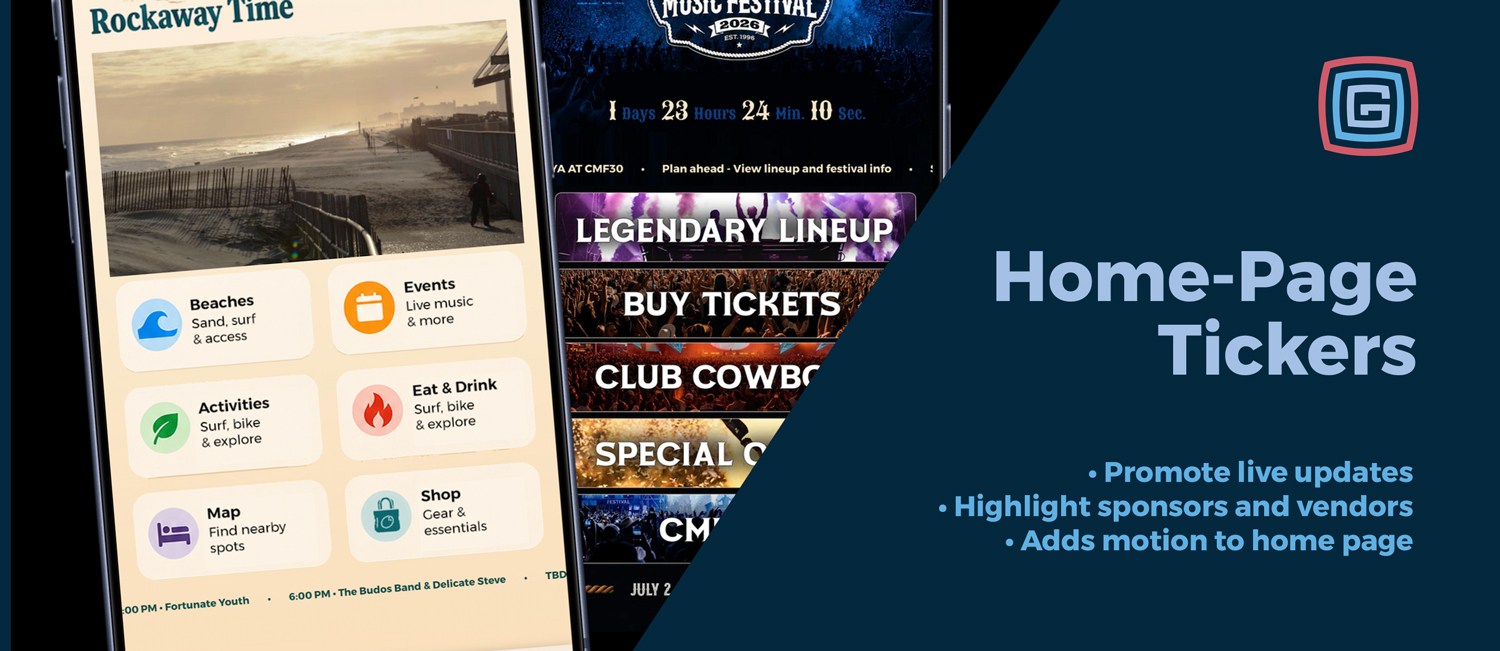
Home Page Tickers are now included in all Platinum and higher app packages, giving events a flexible new way to communicate with guests directly from the app home screen.
The ticker appears as a configurable strip within the home page layout and can be used for announcements, schedule reminders, sponsor visibility, vendor promotion, app navigation, news feeds, and timely event updates.
Instead of relying on guests to search through the app for every important detail, the ticker brings useful content forward the moment someone opens the app.
What Home Page Tickers Can Do
- Share static announcements: Promote gate times, parking reminders, ticket information, featured attractions, weather notes, or general event updates.
- Rotate multiple messages: Highlight several items throughout the day, such as a concert, sponsor, contest, vendor, or important reminder.
- Show live and upcoming schedule content: Automatically surface what is happening now or what is coming up next from a selected schedule.
- Feature sponsors and vendors: Give sponsors, food vendors, marketplace booths, and featured partners more visibility from the home screen.
- Link directly into the app: Send guests to schedules, vendors, custom pages, rewards, scavenger hunts, alerts, results, photo booth features, web URLs, and more.
- Pull from RSS or Atom feeds: Display recent news posts, public announcements, blog updates, press releases, or other published content from a remote feed.
- Match the event brand: Use rotating messages, fade or slide animations, no animation, or a continuous marquee with configurable styling.
- Track engagement: Ticker clicks can be tracked so organizers can see which messages and destinations are getting attention.
Practical Ways Events Can Use Tickers
Guide guests through the day. A fair could use the ticker in the morning for gate times and parking information, then later promote live schedule items like “Happening Now: Swine Show” or “Up Next: Kids Pedal Pull.” In the evening, it could highlight grandstand events, concerts, fireworks, or sponsor messages.
Promote high-value app features. Many event apps include interactive tools guests may not notice right away. The ticker can point people to scavenger hunts, voting, photo booths, rewards, contest results, maps, alerts, and favorites.
Add sponsor visibility without interrupting guests. Sponsor messages can rotate naturally alongside event updates. Examples include “Tonight’s Main Stage presented by ABC Bank” or “Today’s Kids Zone activities are sponsored by Lincoln Pediatrics.”
Highlight vendors, food, and shopping. Events can feature a food vendor of the day, promote merchandise tents, send guests to a marketplace, or encourage visitors to explore sponsor booths and local businesses.
Share useful reminders without overusing push notifications. Not every update needs to interrupt guests. The ticker is a good place for lost and found information, shuttle reminders, clear bag policies, restroom locations, cooling stations, or parking tips.
Support live event changes. If a show moves indoors, an entrance closes, a parade route changes, or a parking lot fills up, the ticker can help guests adjust quickly. When linked to a map, alert, schedule item, or custom page, the message becomes even more useful.
Keep website news fresh inside the app. With RSS and Atom feed support, organizations that already publish updates on their website can bring those updates into the app ticker without duplicating content entry.
Useful Before, During, and After the Event
- Before the event: Promote tickets, volunteer signups, vendor applications, schedule planning, app downloads, and early announcements.
- During the event: Highlight live schedule items, sponsor messages, vendor promotions, contests, maps, alerts, and timely reminders.
- After the event: Link to surveys, contest results, photo galleries, thank-you messages, and save-the-date announcements.
A Small Home Screen Space with a Big Job
Home Page Tickers give Platinum+ apps a new way to keep the home screen active, timely, and useful. They can guide guests, promote key app features, support sponsors, highlight vendors, share operational updates, and connect to live or published content.
For events that need to communicate clearly and keep people engaged, the ticker turns a small strip of home screen space into a practical tool for better navigation, stronger sponsorship, and more timely communication.