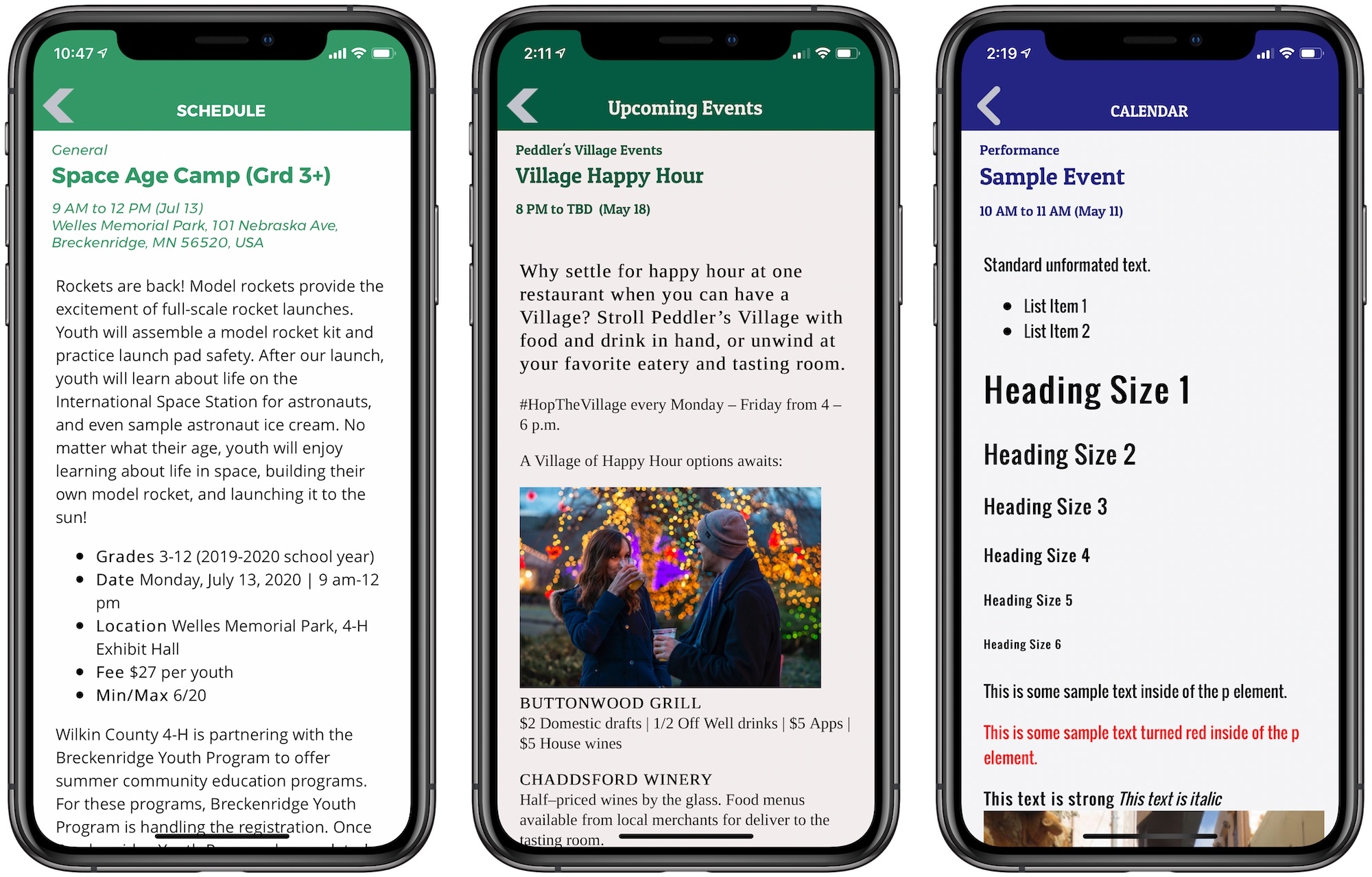
Adding HTML to your Event Descriptions and Custom Pages is a great way to add emphasis to select areas of your description. Here are a few tips for how to use HTML in your descriptions to take your pages to the next level:
- Lists: Using
liitems you can create bulleted lists (like this one).ulwill give you bullets,olwill give you an ordered (numbered) list. - Larger Fonts: Using
h1, h2, h3, h4, h5, h6tags you can increase the size of a font or subheader to add emphasis - Inline Images: With
imgtags you can add inline images to your text linked to images elsewhere on the web. - Links: Using
atags you can add links that become immediately clickable right from the description. - Paragraphs: Add paragraph style
ptags to add separation to parts of your description. - Line Breaks: Sometimes you don't need a new paragraph to start, just a new line (paragraphs include an extra space between lines) so you would include a line break at the end of the line. Use
br. - Horizontal Rules: Creates a horizontal line to break up text sections, using
hr.
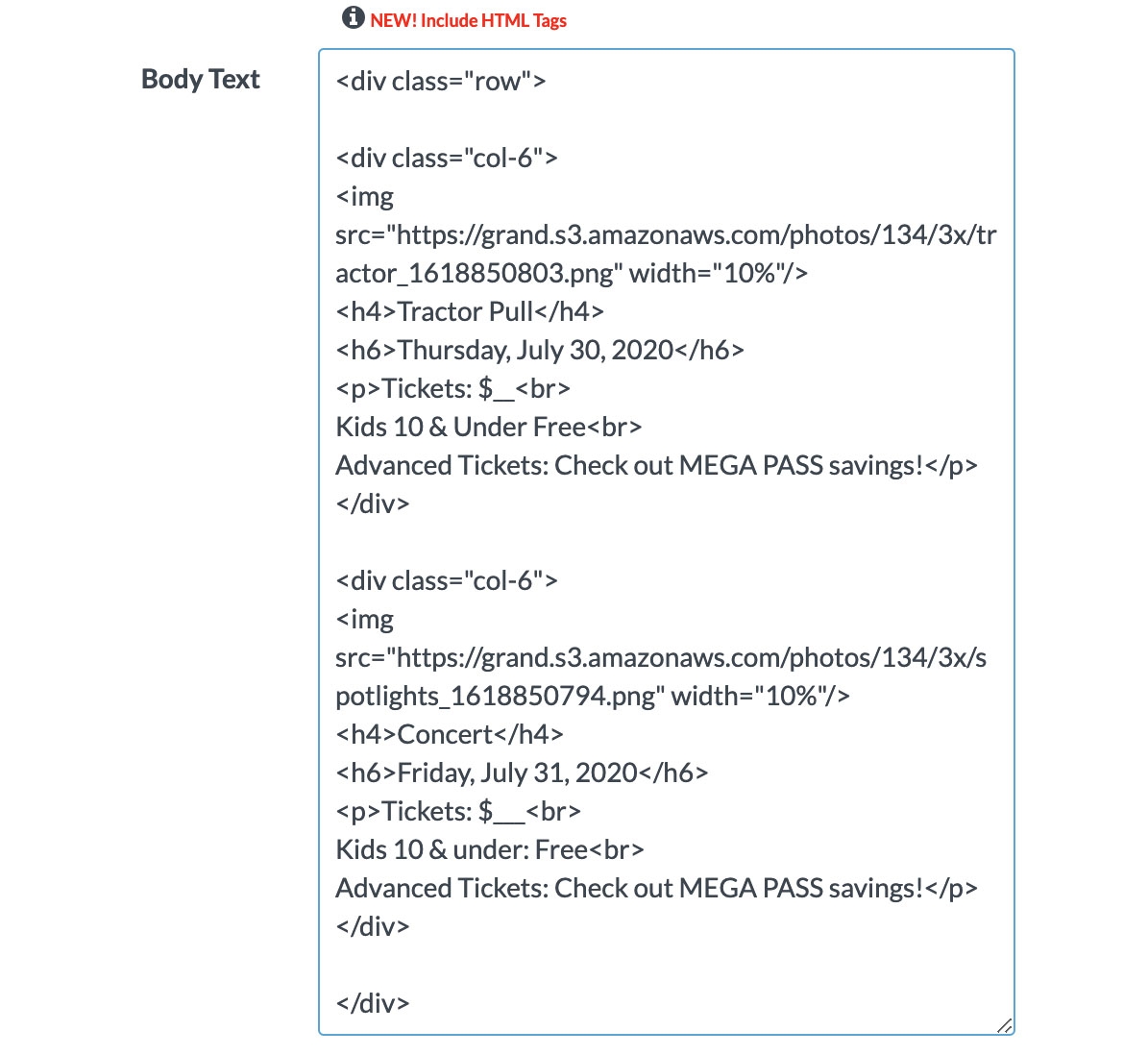
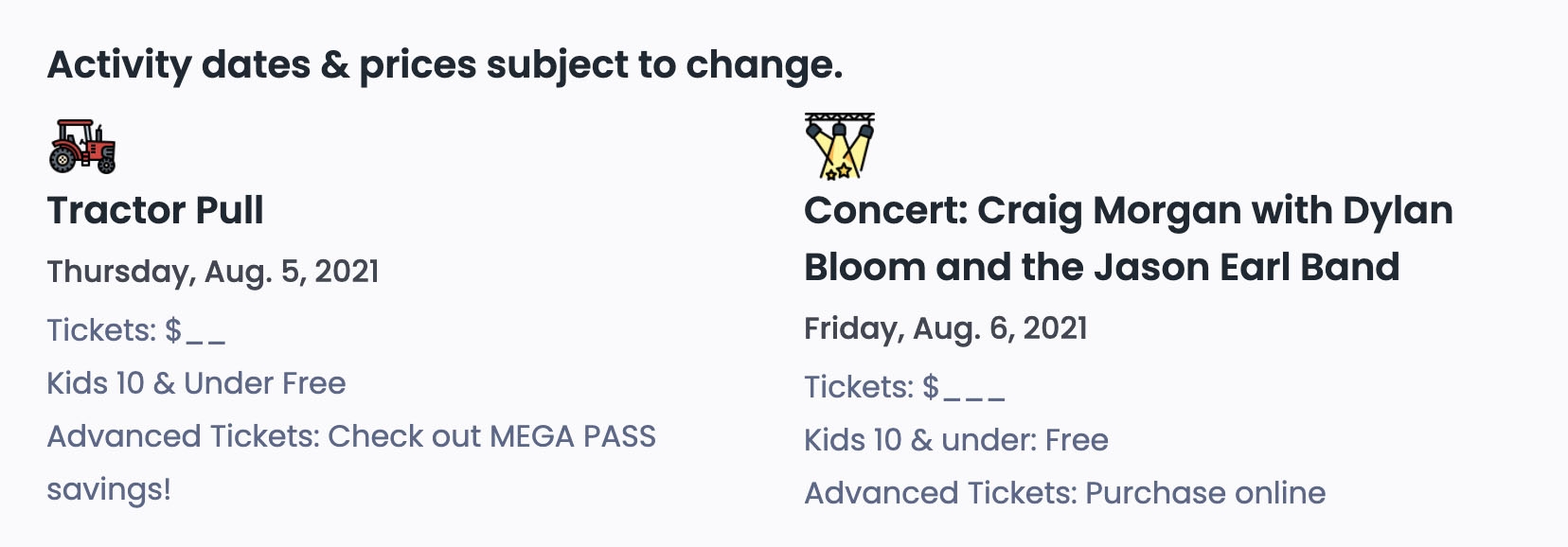
- The above example is of when you might use divisions (or divs). The top image shows the code you use to produce the layout below it. If you are building a custom page for your website and would like a more advanced layout, you would want to use
divto identify rows and columns to display on the page.
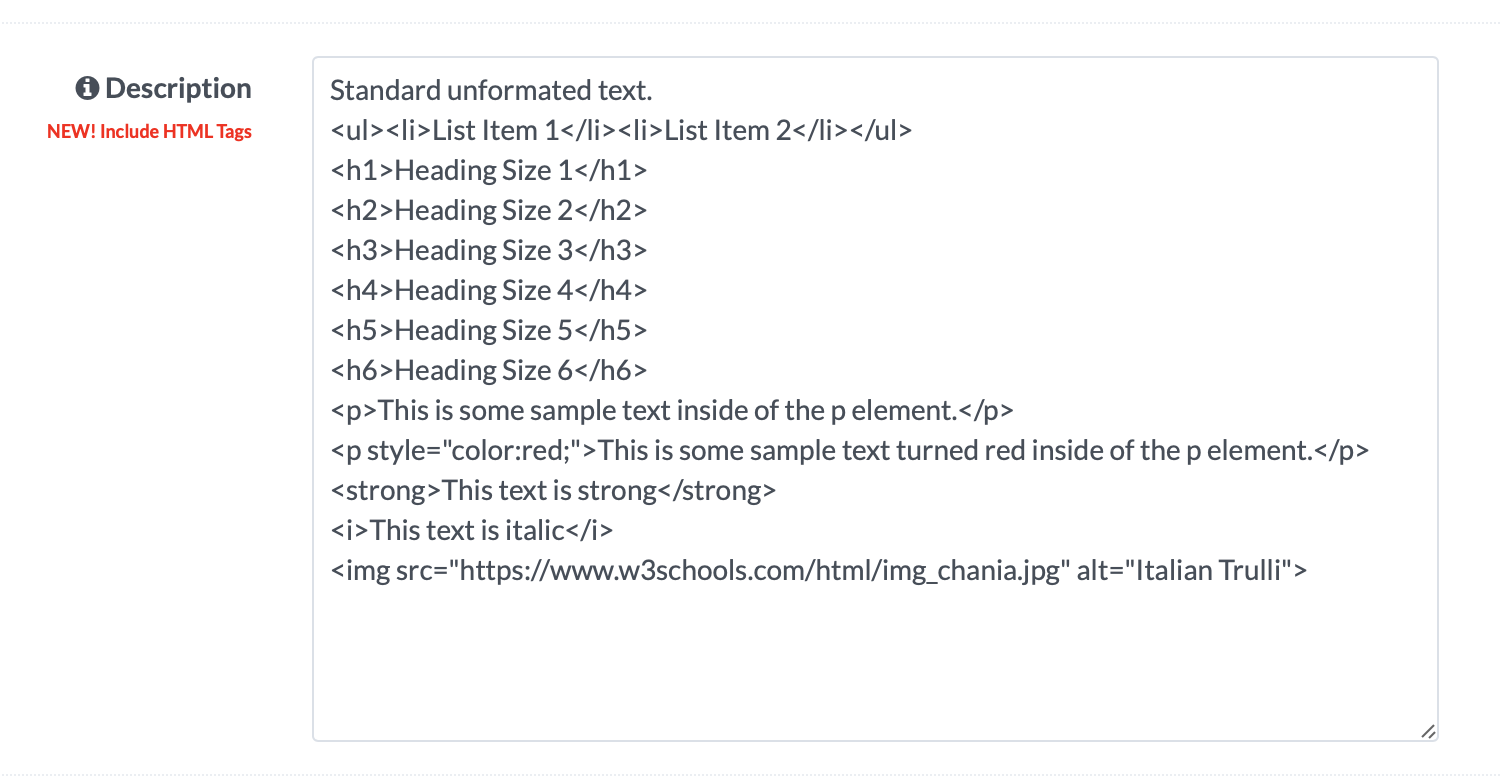
The example above shows what the formatting was like for the screenshot on the far right at the top. These can be added to any event description or custom page.
You can also further customize your pages by using in-line CSS. A great resource for additional information on any of these codes is the site www.w3schools.com. Definitely experiment and play with different settings and see what you might be able to come up with!
Events