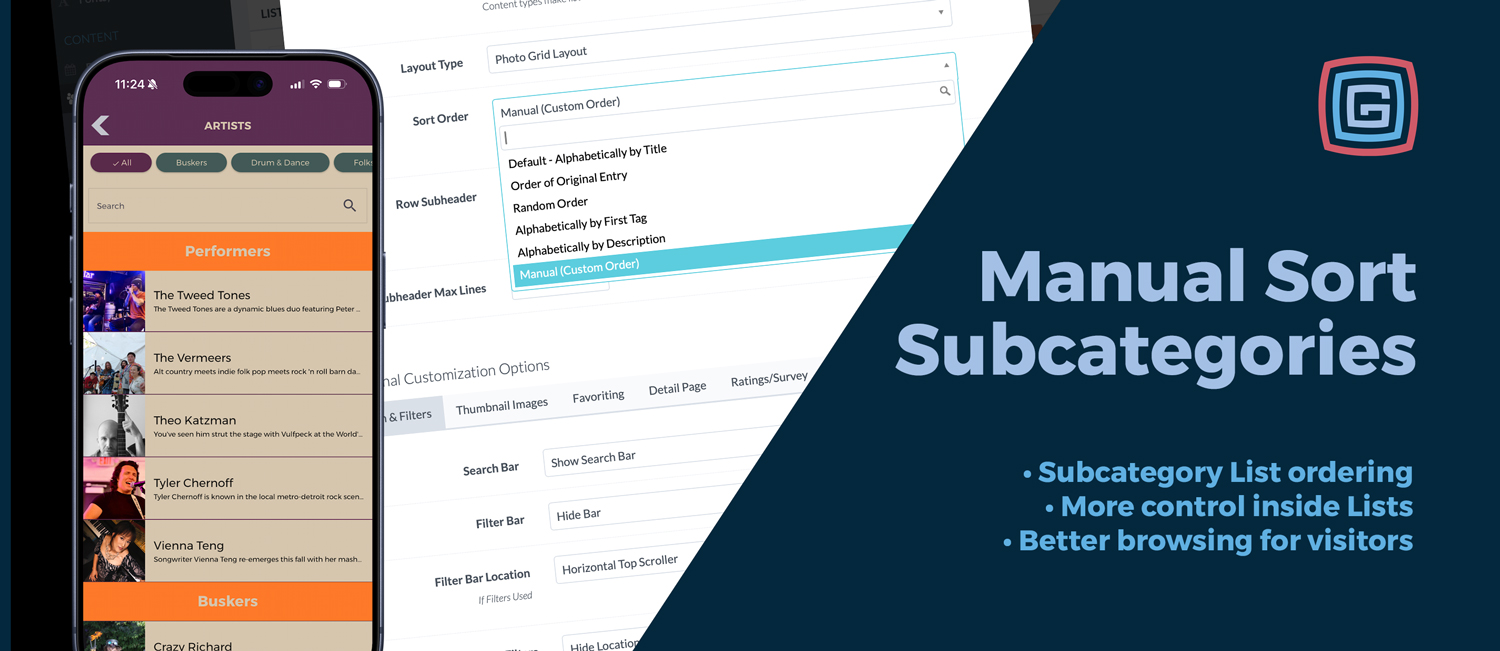
Lists have always been one of the most flexible parts of every Grandstand app package.
They can be used for food, shopping, exhibitors, attractions, sponsors, businesses, performers, departments, resources, and more. Earlier this spring, Grandstand added manual ordering for standard Lists, giving events more control over how those items appeared in the app.
Now that same control has been expanded to subcategories for apps submitted after June 30, 2026.
More Control Inside Larger Lists
Many events use Lists with subcategories to keep content organized. A fair might separate food by type. A festival might group shopping, sponsors, and activities. A business district might organize listings by neighborhood, service, or category.
In those cases, alphabetical order is not always the best fit.
Sometimes certain items need to appear first. Sometimes the order should match a printed guide, booth layout, sponsor priority, or the way visitors naturally move through an event.
Manual Ordering Now Works in Subcategories
With this update, Grandstand can now apply manual List ordering inside subcategories, not just on standard non-subcategory Lists.
That gives organizers a more consistent way to control the visitor experience across larger, more detailed List sections.
- Feature important listings at the top of a subcategory
- Match app content to printed maps or booth layouts
- Organize food, shopping, sponsors, exhibitors, or businesses more intentionally
- Keep larger Lists easier to browse
- Use the same ordering approach across more List types
Useful Across Every Package
This is not a new package upgrade or premium-only feature. Lists are available across Grandstand packages, and this improvement helps make them more useful at every level.
For smaller events, it adds simple control. For larger events, it helps keep complex List sections organized. For visitors, it creates a cleaner browsing experience that better reflects how the event is actually arranged.
This subcategory sorting expansion is available for apps submitted after June 30, 2026.
A Practical Improvement for Everyday App Content
Manual subcategory ordering is a small update, but it solves a very practical problem.
It helps events make their Lists feel less automatic and more intentional, especially when the order of content matters just as much as the content itself.